Typing proficiency tests are a mandatory stage in many Indian government recruitment processes. This guide explains which exams include typing tests, what the requirements are, how results are evaluated, and how you can prepare effectively using TypingExam.in.
1. Why Government Exams Include Typing Tests
Government positions involving data entry, clerical work, court reporting, or administrative correspondence require employees who can type efficiently. The typing test serves as a qualifying stage — candidates must meet a minimum typing speed to be eligible for final selection. Failing the typing test means disqualification regardless of how well you scored in the written exam.
Unlike written exams where you compete for marks, typing tests typically have a pass/fail format. You need to meet or exceed the minimum Words Per Minute (WPM) requirement with acceptable accuracy. This makes preparation straightforward — you know exactly what speed to target.
2. Exam-Wise Requirements
The following table summarizes the typing test requirements for major government exams. Requirements may change with new notifications, so always verify from the official recruitment notification.
| Exam / Recruitment | Language | Font / Layout | Required Speed | Duration |
|---|---|---|---|---|
| UP Police (Computer Operator) | Hindi & English | Kruti Dev / English | 25 WPM (Hindi) / 30 WPM (English) | 15 min |
| UPSSSC (Junior Assistant / VDO) | Hindi | Kruti Dev (Remington) | 25 WPM | 5 min |
| SSC CHSL (LDC / DEO) | English or Hindi | English / Mangal / Kruti Dev | 35 WPM (Eng) / 30 WPM (Hindi) | 10 min |
| DSSSB (Grade II DASS) | English | English (QWERTY) | 35 WPM | 10 min |
| RRB (NTPC / Group D Clerk) | English / Hindi | English / Mangal | 30 WPM (Eng) / 25 WPM (Hindi) | 10-15 min |
| High Court / District Court | English & Hindi | Varies | 30-40 WPM | 10 min |
Important: Always check the official notification for exact requirements. Some exams may have different criteria for different posts within the same recruitment cycle.
3. How Typing Speed Is Calculated
Understanding how your typing speed is calculated helps you set realistic targets and avoid common misconceptions.
Words Per Minute (WPM) Method
Most Indian government exams use the WPM formula:
- 1 word = 5 characters (including spaces and punctuation)
- Gross WPM = (Total characters typed ÷ 5) ÷ Time in minutes
- Net WPM = Gross WPM − Errors
For example: If you type 1,500 characters in 10 minutes with 5 full errors:
- Gross WPM = (1500 ÷ 5) ÷ 10 = 30 WPM
- Net WPM = 30 − 5 = 25 WPM
Keystrokes Per Hour (KPH) Method
Some exams (especially DEO posts) measure speed in keystrokes per hour:
- KPH = (Total keystrokes typed ÷ Time in minutes) × 60
- SSC DEO requires 8,000 KPH, which equals approximately 26-27 WPM
Error Categories
- Full Error: A completely wrong word (spelled incorrectly, missing, or extra word). Deducts 1 from gross WPM in most exams.
- Half Error: Spacing issues, capitalization errors, or minor punctuation mistakes. Deducts 0.5 from gross WPM.
- Backspace penalty: Some exams count excessive backspace usage as additional errors. Reduce reliance on the delete key.
4. Understanding Fonts and Keyboard Layouts
English Typing
English typing tests use the standard QWERTY keyboard layout. No special font or software installation is needed.
Hindi Typing — Kruti Dev
Kruti Dev 010 is a legacy Hindi font used extensively in UP state government exams. It requires the Remington (GAIL) keyboard layout. Key points:
- Kruti Dev is NOT a Unicode font — it's a graphical font that renders English characters as Hindi glyphs.
- You need to install the Kruti Dev 010 font on your computer for practice.
- The Remington GAIL layout maps Hindi characters to specific English keys.
Hindi Typing — Mangal
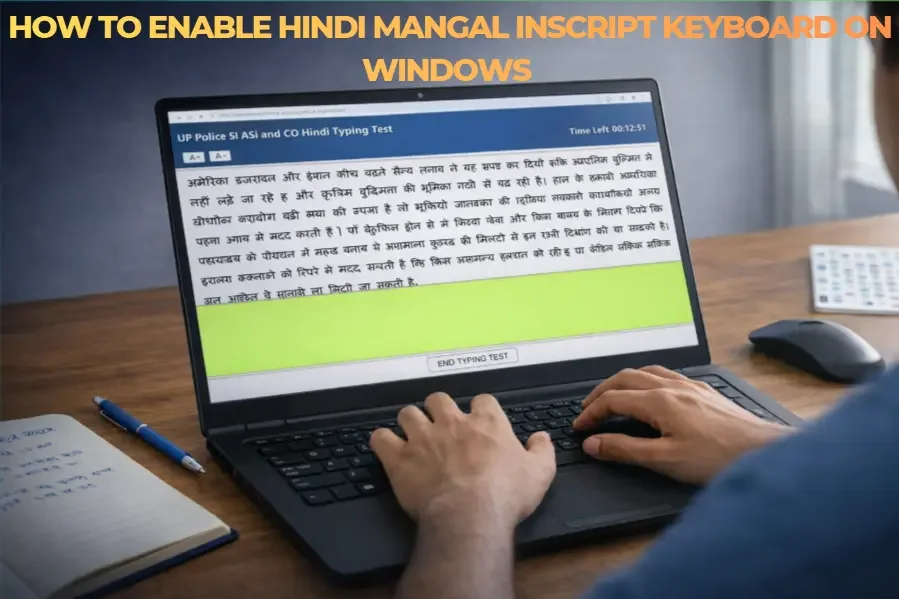
Mangal is a Unicode Hindi font built into Windows. It's used by central government exams and works with the Inscript keyboard layout:
- Mangal is Unicode-compliant — Hindi text is stored as actual Hindi characters.
- The Inscript layout places vowels on the left hand and consonants on the right.
- Enable it from Windows Settings → Time & Language → Language → Add Hindi Keyboard.
5. How TypingExam.in Helps You Prepare
Our platform is designed to replicate actual exam conditions as closely as possible:
- Exam-specific layouts: Each exam category uses the same screen layout and interface that you'll see in the real test.
- Matching evaluation engines: Our result analysis uses the same error-counting rules (full errors, half errors, backspace handling) as the actual exam software.
- Real passages: Practice with passages of similar length, complexity, and vocabulary as actual exam paragraphs.
- Timer simulation: A countdown timer replicates the time pressure of the real exam environment.
- Instant detailed results: After each test, see your WPM, accuracy, error breakdown, and a word-by-word comparison.
- Multiple font support: Switch between Kruti Dev and Mangal (Hindi) or English as needed for your specific exam.
No Registration Required: All features are free. Just choose your exam, select a passage, and start practicing immediately.